Batteries & cameras · Compatibility
Dyson DC35 / DC44 / DC45 Battery Replacement Guide
In this guide · Jump to a section
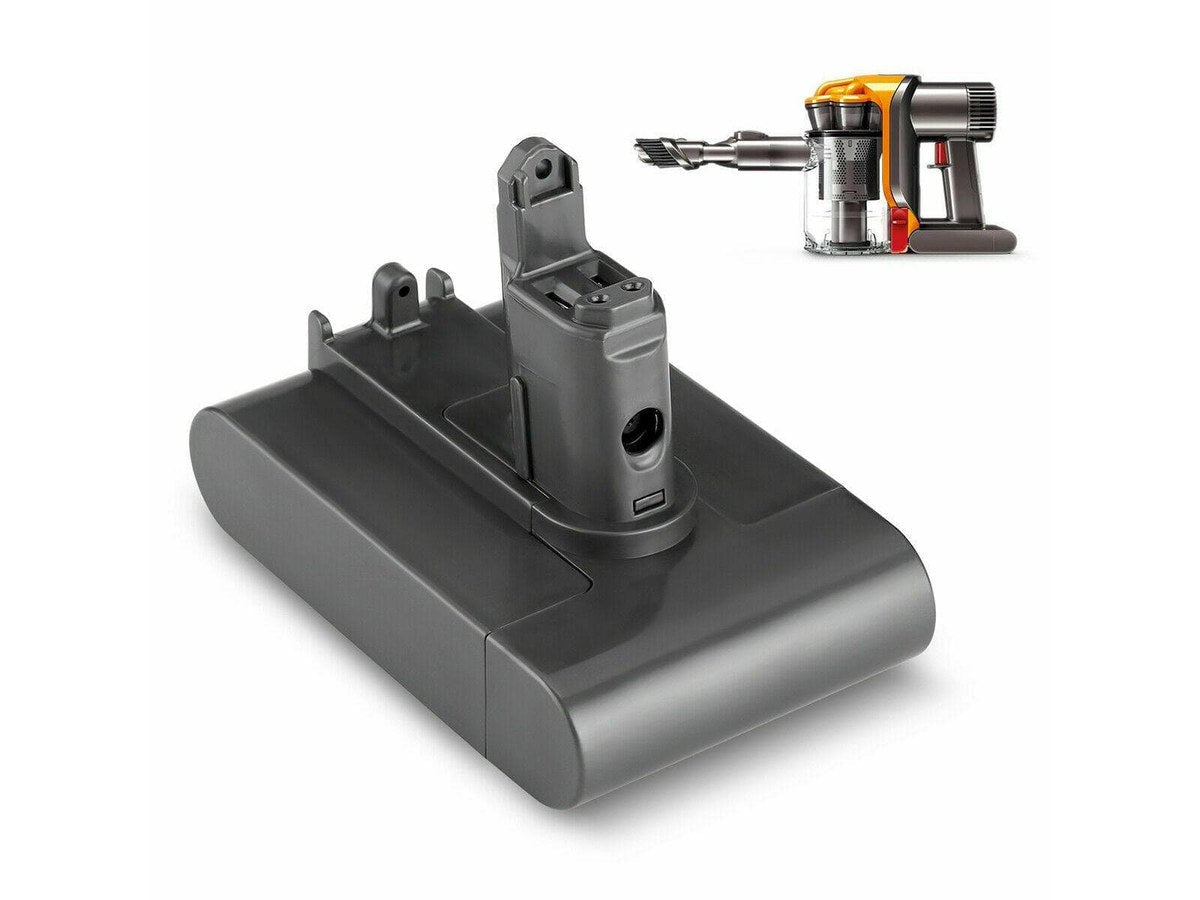
The Dyson DC35, DC44, and DC45 are older cordless vacuum models that remain popular in Australian homes. If your DC-series Dyson is losing run time or cutting out unexpectedly, a battery replacement is almost certainly the fix — and it's far cheaper than buying a new vacuum.
DC35 vs DC44 vs DC45: What's the Difference?
| Model | Type | Battery Voltage | Run Time (original) | Notes |
|---|---|---|---|---|
| DC35 | Handheld / stick | 22.2V | Up to 15 min (standard) / 6 min (max) | Slim, lightweight design |
| DC44 | Stick vacuum | 22.2V | Up to 20 min (standard) / 8 min (max) | Animal version available |
| DC45 | Stick vacuum | 22.2V | Up to 20 min (standard) / 8 min (max) | Updated version of DC44 |
All three models use a 22.2V battery pack. Note that DC-series batteries use a different voltage and connector to the V-series (V6, V7, V8, V10, V11) and are not interchangeable with V-series batteries.
Signs Your DC35 / DC44 / DC45 Battery Needs Replacing
- Run time has dropped to just a few minutes from a full charge
- The vacuum cuts out mid-clean even with charge showing
- The battery takes much longer to charge than it used to
- The vacuum won't power on at all despite being charged
- The battery feels warm or swollen (replace immediately if swollen)
How to Replace the Battery on a DC35 / DC44 / DC45
- Switch off the vacuum and disconnect from the charger.
- Locate the battery pack — on DC-series models, the battery is housed in the main body of the vacuum, typically secured by one or two screws.
- Remove the screws using a small Phillips head screwdriver (unlike V-series models, DC-series batteries require a screwdriver to access).
- Disconnect the battery connector — gently pull the connector tab rather than the wires.
- Connect the new battery and secure the housing with the screws.
- Charge fully before first use — allow a complete charge cycle before running the vacuum.
Tip: Take a photo of the battery connector orientation before disconnecting, so you can confirm the new battery is connected the same way.
OEM vs Compatible DC-Series Batteries
Genuine Dyson DC-series replacement batteries are increasingly difficult to find as these models age, and when available, they're priced at $60–$100 AUD. Compatible replacement batteries are readily available, correctly specified for each model, and cost $25–$45 AUD.
Quality compatible DC-series batteries include BMS (Battery Management System) protection for safe charging and discharging — the same protection as the original Dyson battery.
Shop DC-Series Replacement Batteries
- Dyson DC35 / DC44 / DC45 Compatible Batteries at Office Catch
- All Compatible Dyson Batteries
- Dyson Accessories
Frequently Asked Questions
Is the DC35 battery the same as the DC44?
Both use 22.2V batteries, but the battery packs have different form factors and are not directly interchangeable. Always purchase a battery specified for your exact model.
Can I upgrade my DC35 to a higher capacity battery?
You can use a compatible battery with a higher mAh rating (e.g. 2,000 mAh instead of 1,500 mAh) as long as the voltage (22.2V) and connector are correct. A higher capacity battery will give you longer run time.
My DC44 battery is swollen — is it safe?
No — a swollen lithium-ion battery should be replaced immediately. Do not continue using or charging a swollen battery. Dispose of it at a battery recycling point (most Officeworks and council waste facilities accept lithium batteries).
How long will a replacement battery last?
A quality compatible replacement battery should last 2–3 years under normal use — the same lifespan as the original Dyson battery.