

Ink, Toner & Drum Highlights
Description
Product Overview
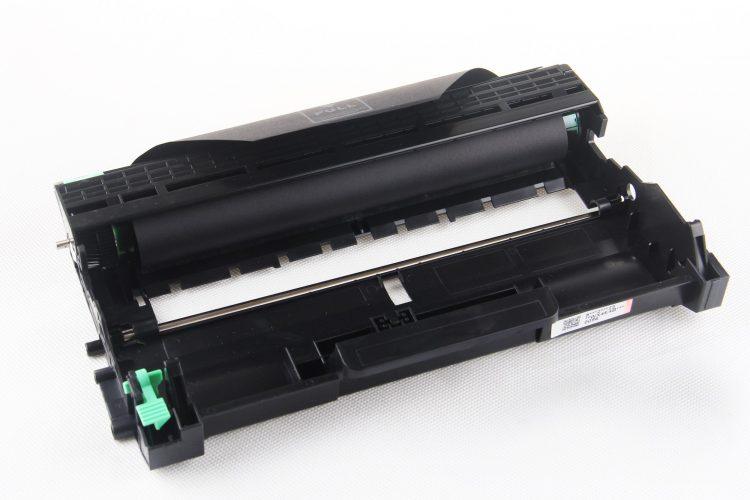
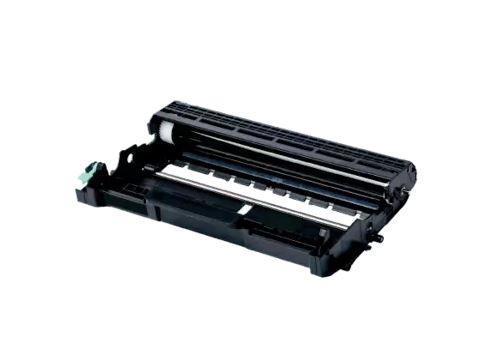
Achieve crisp, professional-quality prints every time with this high-performance Compatible Drum Unit, specifically crafted for a broad range of Brother laser printers. Built for exceptional durability and clarity, it’s the perfect choice for busy home offices or corporate environments demanding consistent results.
Standout Features
-
Exceptional Page Yield
Print up to 12,000 pages at 5% coverage, maximizing productivity while minimizing the hassle and cost of frequent replacements. -
Extensive Compatibility
Seamlessly fits a wide variety of Brother printers, including:-
DCP Series: DCP-7055, DCP-7060D, DCP-7065DN
-
HL Series: HL-2130, HL-2132, HL-2240D, HL-2242D, HL-2250DN, HL-2270DW
-
MFC Series: MFC-7360N, MFC-7362N, MFC-7460N, MFC-7860DW
-
Compatible with Brother DR420, DR2225, DR2200 drum units.
-
-
Consistent, Reliable Prints
Engineered to match or exceed original equipment standards, ensuring sharp text and vibrant images with every print job. -
Effortless Installation
Designed for quick, tool-free installation so you can get back to printing in minutes without frustration or delays.
Why Buy This Drum Unit?
Affordable Solution – Offers premium performance without the high price of OEM parts.
Eco-Conscious Manufacturing – Produced using environmentally responsible methods for a smaller ecological footprint.
Rigorous Testing – Each unit is quality checked to guarantee reliable performance, longevity, and top-tier print results.
Frequently Asked Questions (FAQs)
Q: Will this drum work with my Brother HL-2130 printer?
A: Absolutely! This drum is fully compatible with the HL-2130 and all models listed above.
Q: What page yield should I expect?
A: This drum unit delivers an impressive yield of up to 12,000 pages at standard 5% coverage.
Q: Is this a genuine Brother drum unit?
A: No, this is a compatible replacement drum designed to deliver OEM-like performance at a fraction of the price.
Q: How do I replace my old drum with this one?
A: Replacing the drum is simple—remove the old drum, insert the new unit, and follow your printer’s manual to reset the drum counter for optimal performance.
Payment & Security
Your payment information is processed securely. We do not store credit card details nor have access to your credit card information.
Thank you for visiting Office Catch. Please see below for our Shipping Policy.
Domestic Shipping Policy
Shipment processing time
All orders are processed within 24-48 hours and shipped within 1-7 business days.
If we are experiencing a high volume of orders, shipments may be delayed by a few days. Please allow additional days in transit for delivery. If there will be a significant delay in shipment of your order, we will contact you via email.
Shipping rates & delivery estimates
Shipping charges for your order will be calculated and displayed at checkout.
|
Shipment method |
Estimated delivery time |
Shipment cost |
|
|
AustPost Standard |
1-7 business days |
|
|
|
AustPost Express |
1-3 business days |
Additional fee applies |
*Delivery delays can occasionally occur.
Shipment confirmation & Order tracking
You will receive a Shipment Confirmation email once your order has been dispatched containing your tracking number(s). The tracking number will be active within 24 hours.
Customs, Duties and Taxes
Office Catch is not responsible for any customs and taxes applied to your order. All fees imposed during or after shipping are the responsibility of the customer (tariffs, taxes, etc.).
Damages
If you received your order damaged, please contact us.
Ensure you keep all packaging materials and damaged goods before filing a claim.
Carrier Delivery Programs
Australia Post Shipping offers services to manage all of your deliveries.
These services offer up-to-day delivery alerts, delivery date or address changes, online package signing, delivery instructions, and more.
International Shipping Policy
International shipping 3-10 days.